How to Generate Images in Notion AI
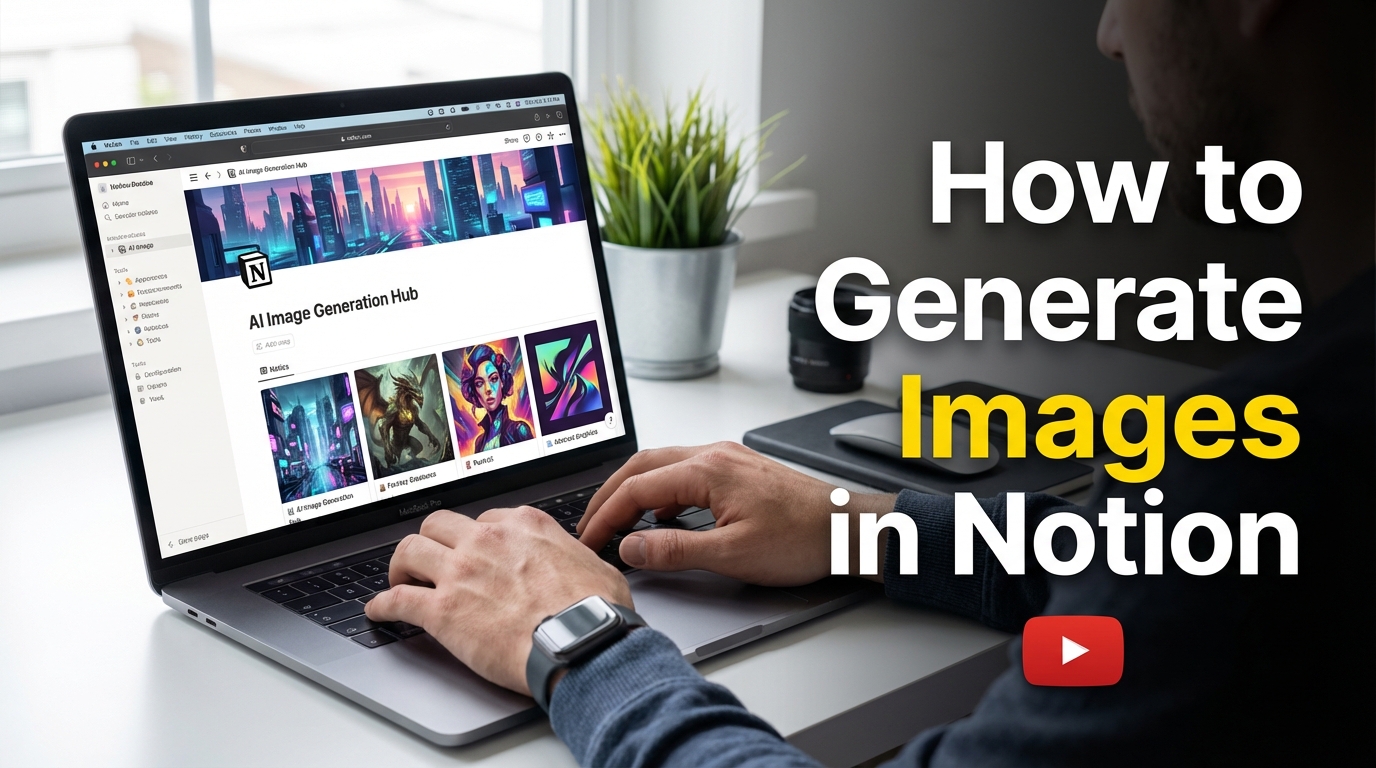
Notion is an AI work tool and is constantly adding new AI capabilities to expand the platform.
Notion recently added custom agents, which changed the way teams manage their work. Now it’s automated, they can run an agent to do it.
Now you can also generate images in Notion with AI. Its best way to get new images, charts, slides, or any graphics to present your docs. There are two ways in which you can generate images in Notion.
Method: 1. Generate Images on any Notion page
In your Notion pages, you can generate any images or images related to your Notion pages as context.
let say you are writing a story and tell AI to give you a storyboard based on the notion page. It will analyze your page and your writing and give you an AI generated Image.
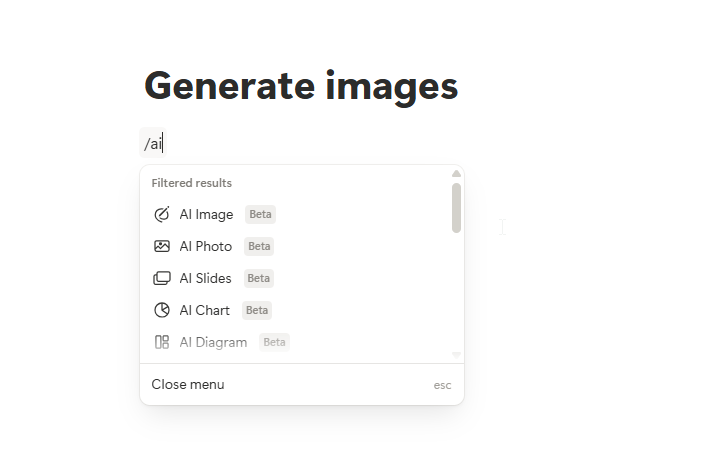
Here are the steps to generate images inside a page:
- Type /ai on any page and you will get suggestions for AI image, photo, slides, chart, diagram, or mockups (You can also just type “/ai image”)
- Click on it and then type the prompt for the image that you want.
- Your image is generated.
Like that, you can also generate AI photos, slides, charts, diagrams, mockups, and many more.
Method: 2. Using Notion AI Chat App
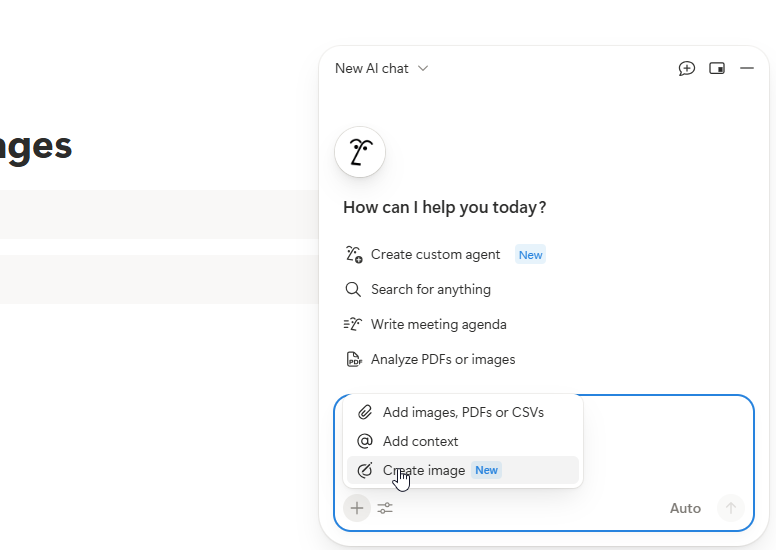
You can also create images using the chat app that we have in the app. You can just click on the plus icon and select “create image” and give context, like if you want to generate an image based on a page, and then enter your prompt, and your image will be generated.
FAQs:
1. Does Notion have a built-in AI image generator?
Notion has recently introduced AI image generation to its users to create images, diagrams, charts, and more within their workspace. You can just type the prompt, and it’s generated.
2. How do I access the image generation feature in Notion?
You can access the image generation feature in two ways: using “/aiimage” on any page and using the chat app.
3. Is Notion’s AI image generation free?
The feature is currently in beta with free usage, but comes with a daily limit that temporarily stops image creation once the free limit is reached. You can upgrade to the Notion business plan, which includes AI features.
4. Can I edit images after generating them in Notion?
Yes. You can edit any images after generating them in Notion.
5. What AI models does Notion use for image generation?
Notion keeps adding new AI models when they arrive, so check the app to see the current models which available in the app.
